
Download & View Coinbase Transaction History
Coinbase Transaction History is required to view your deposits and withdrawal records. You can download it to pay crypto tax and analyze your performance.


Cryptocurrency is an attractive market with amazing gains and losses due to its insane volatility. With Bitcoin price going above $40,000 and growing, it could be the start of a bull market. Many altcoins will record huge gains in this all-season, becoming a reason to bring many new crypto traders and investors and fresh cash inflows.
These fresh and professional traders either choose a centralized crypto exchange or a decentralized exchange where they can use all
the features with just a web3 wallet. With so many options available to trade
in 2024, it is hard to choose a perfect platform. Some traders choose Binance
for its diverse crypto pairs. Those who want a well-regulated crypto trading
platform might choose Coinbase for its user-friendly environment and mature
features.
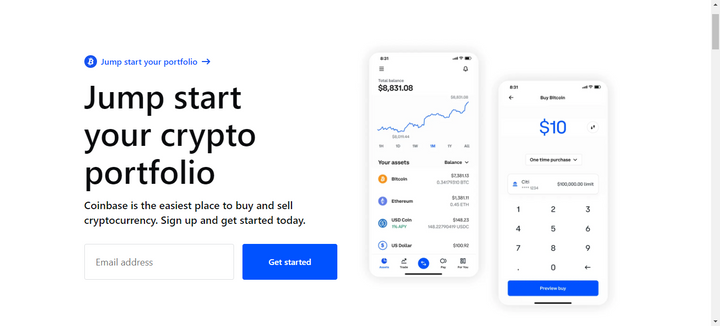
Crypto is being regulated worldwide and some countries have
even imposed taxes on the traders. Therefore, they need to submit their
transaction history while filing taxes. If you are trading on Coinbase and want
to view and download your transaction history, read this comprehensive where we’ll
walk you through every step.
Coinbase Crypto Exchange:
Coinbase is the second largest crypto exchange by trading
volume. It has a trading volume of an average of $2.5 billion daily. The US-based crypto exchange offers more than
700 trading pairs with multiple payment options to buy crypto. Since Binance
keeps facing legal troubles, many traders, particularly those based in the US,
choose Coinbase. It offers an extremely simple user-friendly interface for
beginners and advanced trading tools for professional crypto traders.
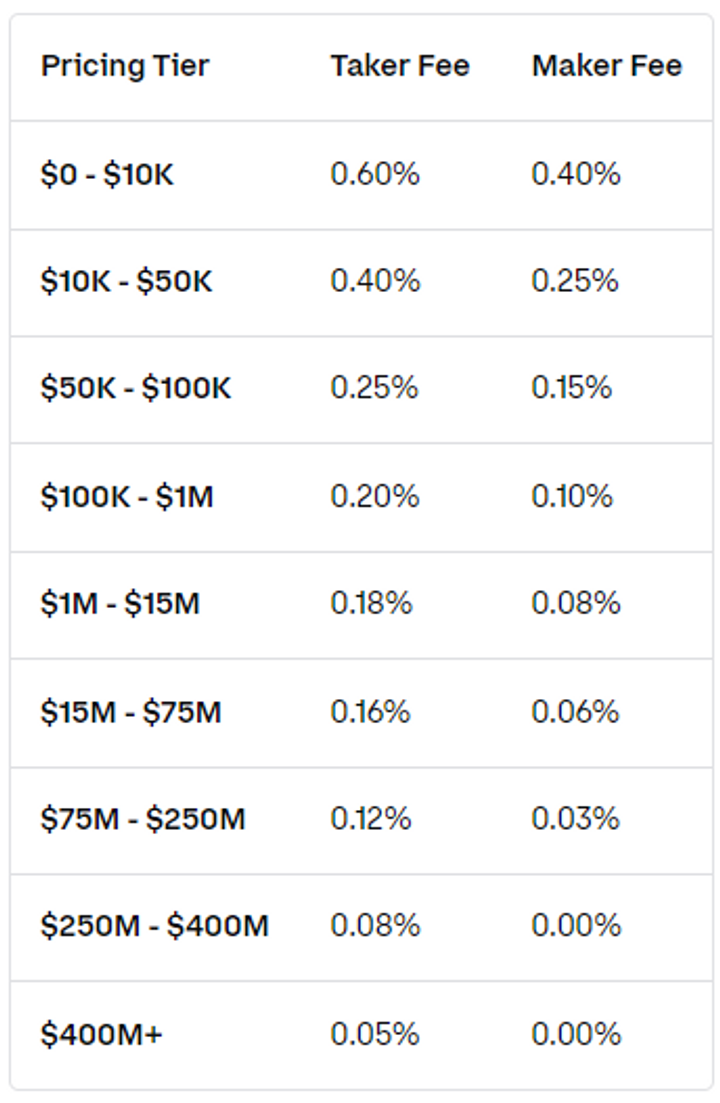
Coinbase charges a tier-based trading fee from the traders
ranging from 0 to 0.6% based on the amount traded. Besides crypto, traders can
deposit and withdraw fiat currency in the Coinbase wallet. ACH can be deposited
and withdrawn for free.
Wire transfer deposit requires a $10 fee and a $25 fee on withdrawals.
SEPA deposits and withdrawals in Euro cost €0.15 and Swift deposits in GPB are
free however there is a withdrawal fee of £1. Coinbase is loved by the traders
for the following features:
- User-friendly Interface
- High-Security measures
- Trustworthy and Established Ecosystem
- Range of cryptocurrencies
- Regulatory Compliance
How to Download Coinbase Transaction History
Coinbase is an intuitive and simple trading tool. This makes
it an attractive option for traders and hence it has become one of the growing
crypto exchanges. Coinbase has two versions Coinbase Exchange which is for new
traders and those seeking a simple trading solution and Coinbase Pro which
offers complex and advanced trading tools for professional trade geeks. Here is
a quick guide to download Coinbase transaction history and view your deposit
and withdrawal records.
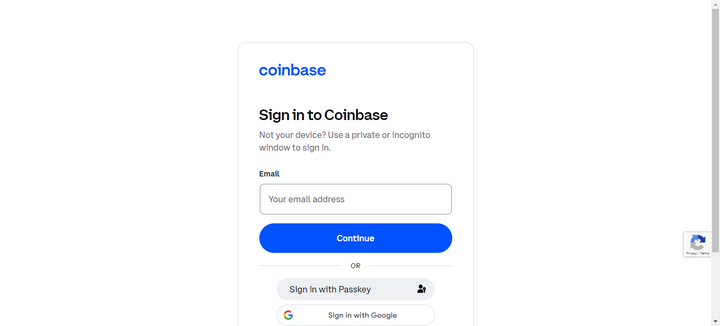
Step 1: Log in to your Coinbase Account
Whether you are on your phone accessing Coinbase (Mobile App)
or accessing your PC (using Coinbase Web), the process is very smooth. Open
your app or go to Coinbase Web and click sign in with your credentials. Once
you have logged into your Coinbase account, you land on the home page of the
crypto exchange.
Step 2: Locate Reports
Now to generate Coinbase Transaction history reports, click
on the profile icon from the top right corner of the page. It will open a drop-down
the menu on click.
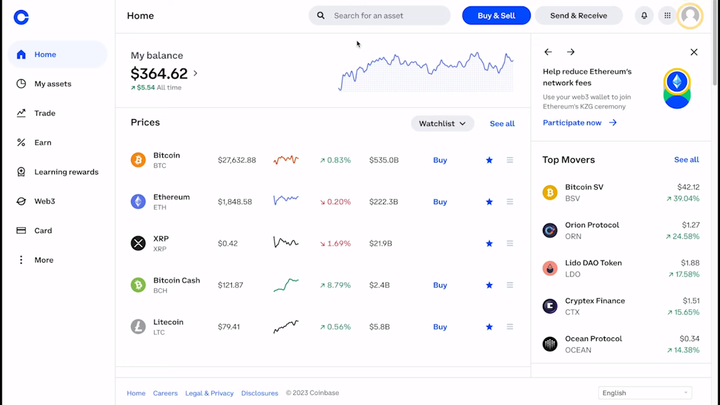
Now from the drop-down menu, choose the Coinbase version you want to view the history and then click on the Report button. In this example, we’ll try to generate the report for the Coinbase account.
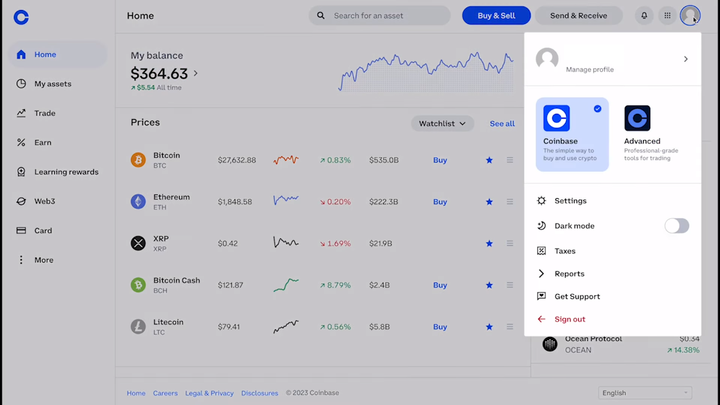
You will land on a Coinbase reports page where you can find
different options to help you. You can view and download your transaction
history, tax documents and resources, and Coinbase Pro statements in Excel and
PDF formats.

Step 3: Generate Report
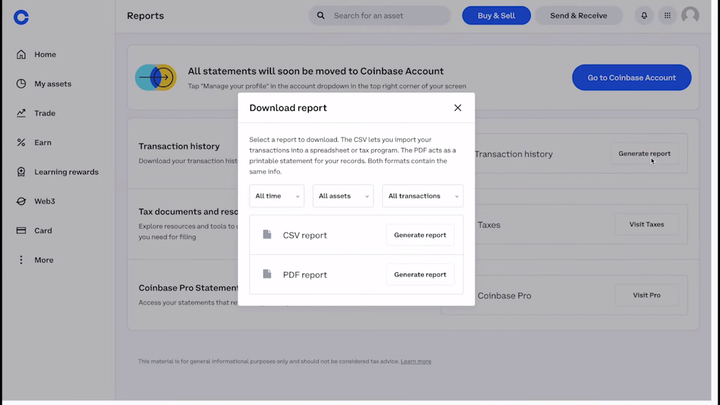
Click the Generate Report button. You’ll see a popup as shown
in the screenshot below with different options to choose from. You can use
different filters to download or view transaction history in different
timeframes. After applying the filters, choose your desired file format (CSV or
PDF) and Click on the Generate Report Button.
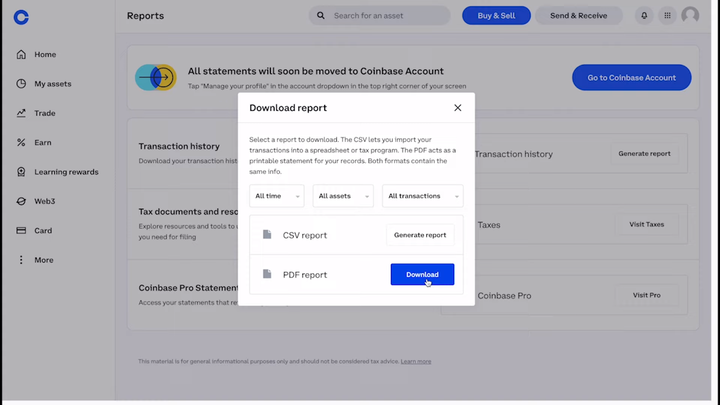
Wait a few seconds until the Download button appears and
then click Download to download the report. In some cases, it might take longer
if the report generated has a longer timeframe or there are too many transactions.
Below is a sample of Coinbase Transaction history. The
report includes the transaction time and date, Transaction type, Asset type,
Asset Quantity, pair, asset price, amount transacted, and the price at which
the asset was traded.

Now that the report is generated and downloaded, you can use
it to file taxes or keep track of your performance as a trader.
As we have seen, generating transaction history on Coinbase
is extremely easy. Just sign in to your account and click your profile. From
the menu choose reports and then choose the transaction history. Click on the generate
button and click download.
Filing Tax on Coinbase Earnings with Koinly
Koinly is a master tool when it comes to filing your crypto
tax without involving the complex procedures of generating Coinbase Transaction
history and then manually submitting it. The tax is calculated based on your
transaction history, your location, and the assets you own in your wallet. Basically,
you are taxed in two different ways:
- Capital Gain Tax: This tax is applied if you have a realized profit that comes in a tax bracket of your country.
- Income Tax: If you have earned crypto tokens as airdrop or staking reward in your account and their value falls in the tax bracket, you have to pay income tax on these assets.
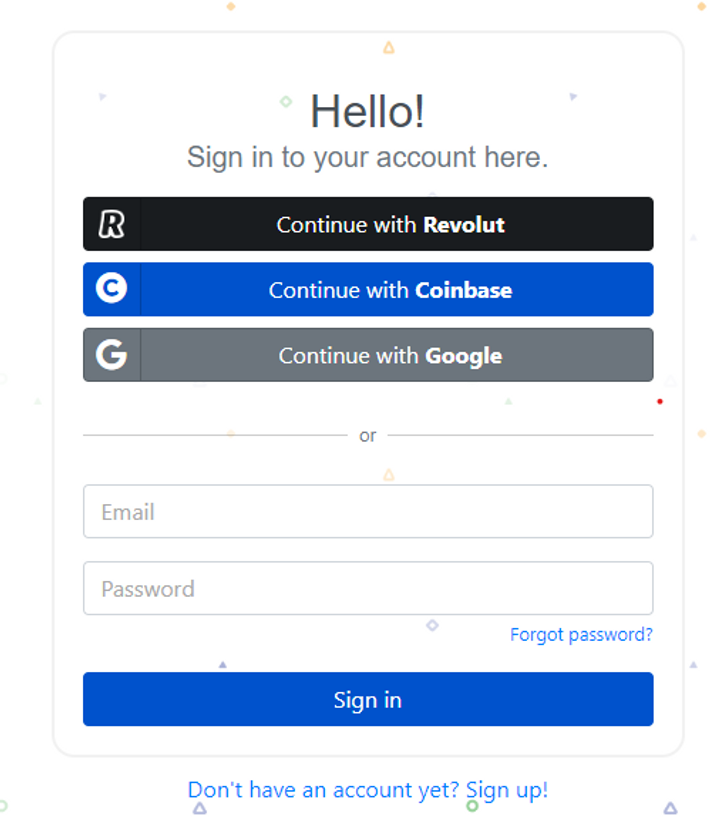
To file your crypto tax, visit the Koinly website and sign up using your Coinbase wallet. Koinly will collect all the transaction history and information about the assets you own. Alternatively, you can import a CSV file that you downloaded from Coinbase Report to Koinly and file your tax. Just like a Pro tax consultant, Koinly will submit your tax and return all the necessary information and documents to you.
Coinbase is a user-friendly crypto exchange with tons of features and regulatory compliances. However, if you want to trade new tokens you might have to choose a decentralized exchange or switch to Binance for this.
Discover more from CoinageReport
Subscribe to get the latest posts sent to your email.
This article is for informational purposes only and is not financial advice.


